Report Schedules
Report Schedules are used to automatically email Reports as PDF attachments to Users on a recurring schedule.
Tip
Schedules cannot be enabled on Reports with parameters.
Warning
Automated emails are sent from no-reply@gs.hertzler.com. Ensure this email address is not blocked by spam filters.
Setting Up a Schedule
A saved Report's schedule can be accessed from the Schedule button near the top of the Report Designer, or from the Schedule button while viewing a Report. Selecting this button will open an overlay where the Report's schedule can be configured.
Schedules are created separately for each User, and User's may modify a Report schedule without affecting the schedule for any other User.
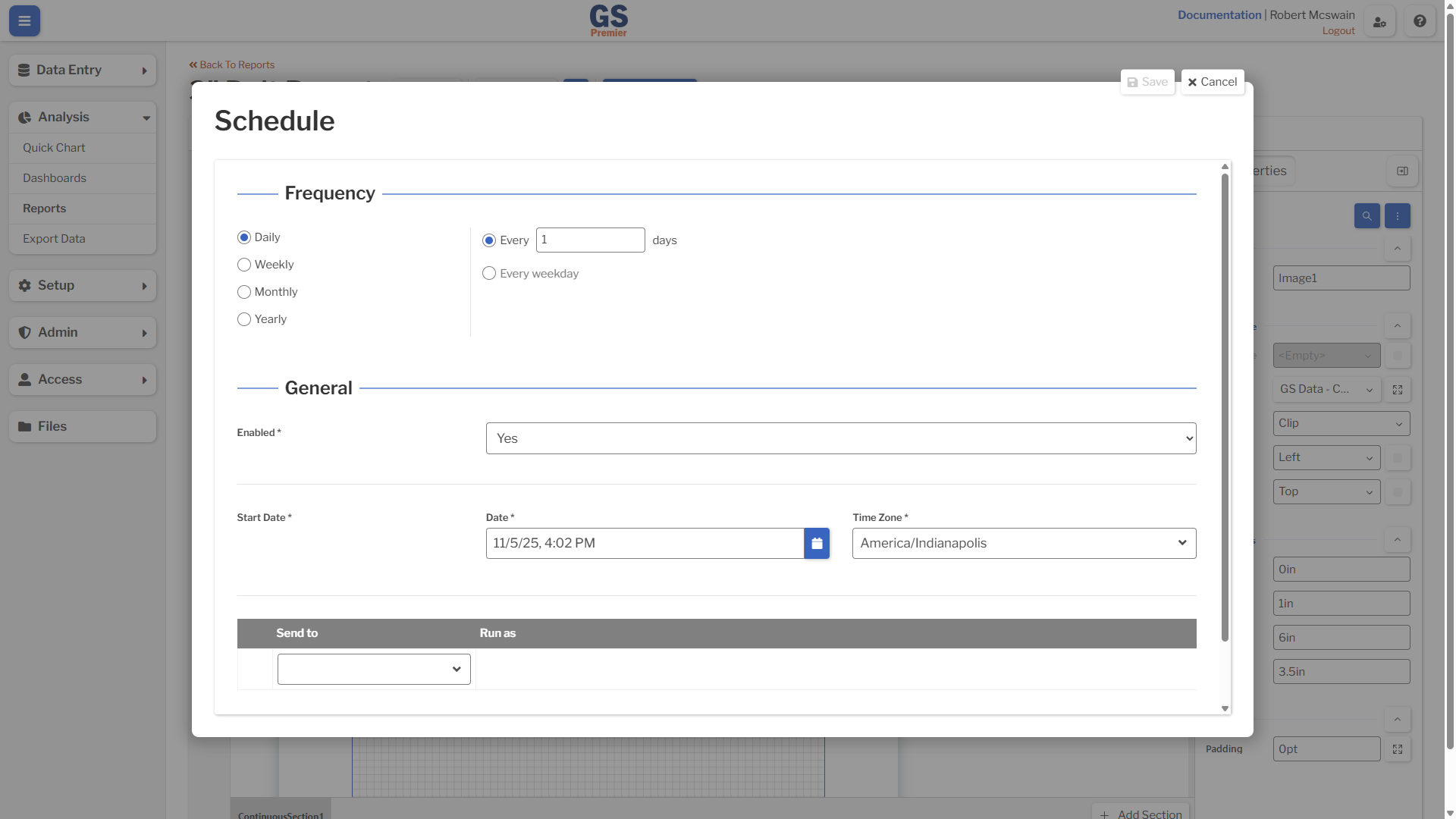
| Setting | Description |
|---|---|
| Frequency | The recurring schedule for email delivery. |
| Enabled | Whether this schedule is active and should send emails. |
| Start Date | The starting date, time, and time zone of the schedule. |
| Send To | The Report will be sent to the email addresses of the corresponding Users. |
Assignments
Schedules created by Users who have lost access to the Report will not be triggered. If the User regains access to the Report, the schedule will be resumed.
Disabled Users
When a User is disabled, all of their schedules will be permanently removed.